← Acoustics Engineering Software
LogSweepGenerator
Sweeps and inverse filters for impulse-response measurement
There is no macOS version yet. The Windows version is ready to download.
There is no Linux version yet. The Windows version is ready to download.
The installer is not code-signed yet, so Windows SmartScreen may show a warning. Choose “More info”, then “Run anyway”.
What it does
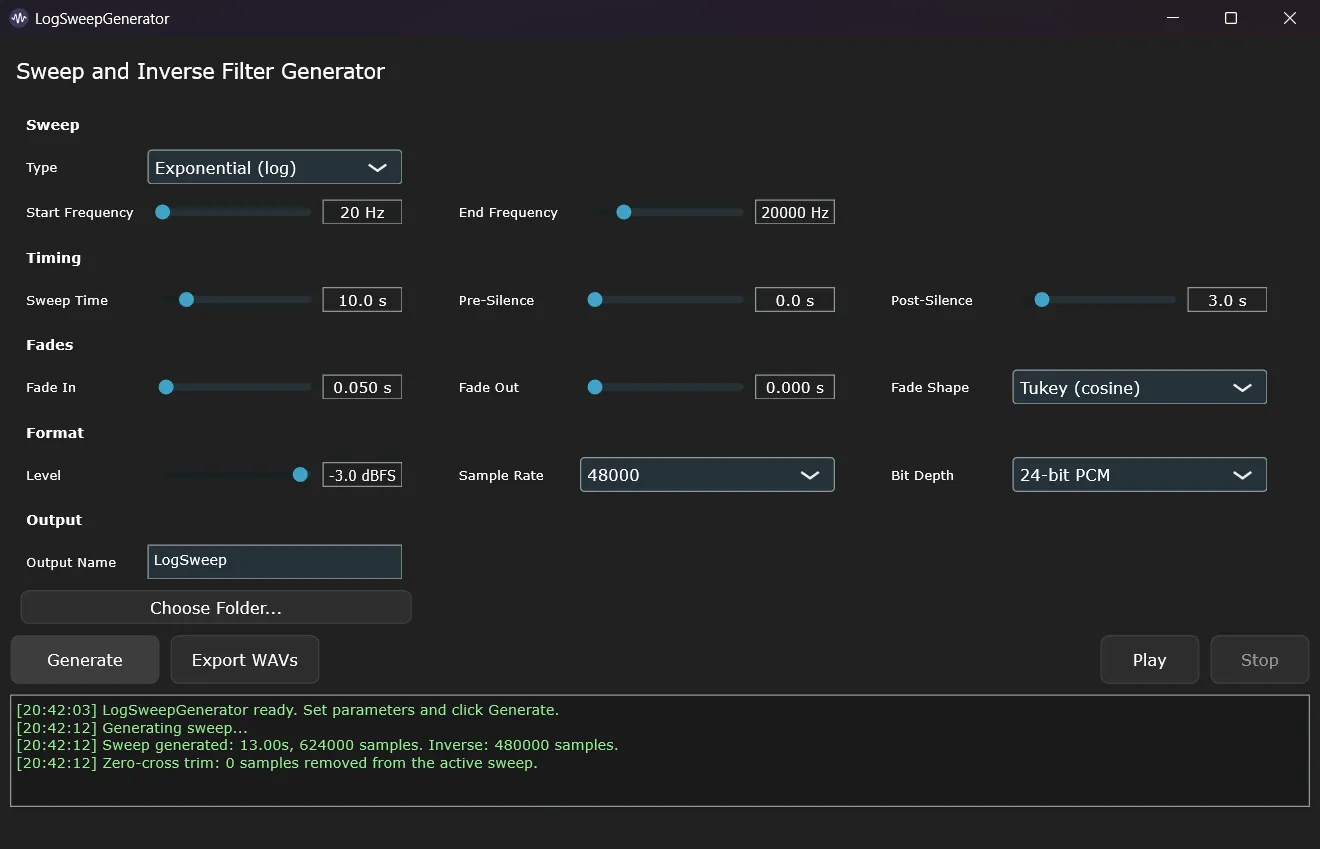
Creates the two signals a swept-sine impulse-response measurement needs. The first is an exponential sine sweep to play through the room or device. The second is its matching inverse filter: convolve your recording with it and you get the impulse response. Every parameter of the sweep is under your control, and both signals export as WAV for any player, DAW or file-based workflow.
Sweep and inverse filter, always matched
Both signals are generated from the same parameters, so the inverse filter fits the sweep exactly.
Full control of the sweep
Choose the frequency range, duration, fades, level and the silence before and after the sweep to suit the room or device you are measuring.
Plays anywhere
Plain WAV files that any player, DAW or portable recorder can handle, up to 192 kHz.
A manual workflow with your own gear
Generate
LogSweepGenerator creates the sweep and its inverse filter as WAV files.
Play and record
Play the sweep and record the result with your own DAW, interface or portable recorder.
Convolve
Convolver combines the recording with the inverse filter and gives you the impulse response.
Use cases
Room impulse responses
Play the sweep in a room, record it with a measurement microphone in your DAW, and convolve the recording with the inverse filter. The result is the room's impulse response, ready for acoustic analysis or a convolution reverb.
Measuring on location with a portable recorder
Play the sweep WAV from any player and record it on a field recorder. No laptop is needed at the measurement point; process the files later.
Capturing hardware for convolution
Guitar cabinets, loudspeakers, spring and plate reverbs and other gear, turned into impulse responses for convolution plugins.
Loudspeaker and headphone responses
The same chain with a shorter sweep and a gated impulse response gives you the frequency response of a loudspeaker or a pair of headphones.
Key settings
- Sweep type
- Exponential (logarithmic) or linear
- Frequency range
- Start 1 Hz – 20 kHz, end 100 Hz – 100 kHz
- Duration
- 0.1 – 60 s, plus silence before and after
- Fades
- Fade-in and fade-out, cosine or linear
- Level
- −60 to 0 dBFS
- Sample rate
- 44.1, 48, 88.2, 96 or 192 kHz
- Bit depth
- 16-bit, 24-bit or 32-bit float WAV
Requirements
Windows 10 / 11 (x64). macOS and Linux versions are coming soon.
Distributed also under pay what you want model.
Every download is free. If these tools are worth something to you, pay whatever you think is fair.
Payment links coming soon.