← Acoustics Engineering Software

ADM
Audio Distortion MeasurementReal-time harmonic distortion analysis
There is no macOS version yet. The Windows version is ready to download.
There is no Linux version yet. The Windows version is ready to download.
The installer is not code-signed yet, so Windows SmartScreen may show a warning. Choose “More info”, then “Run anyway”.
What it does
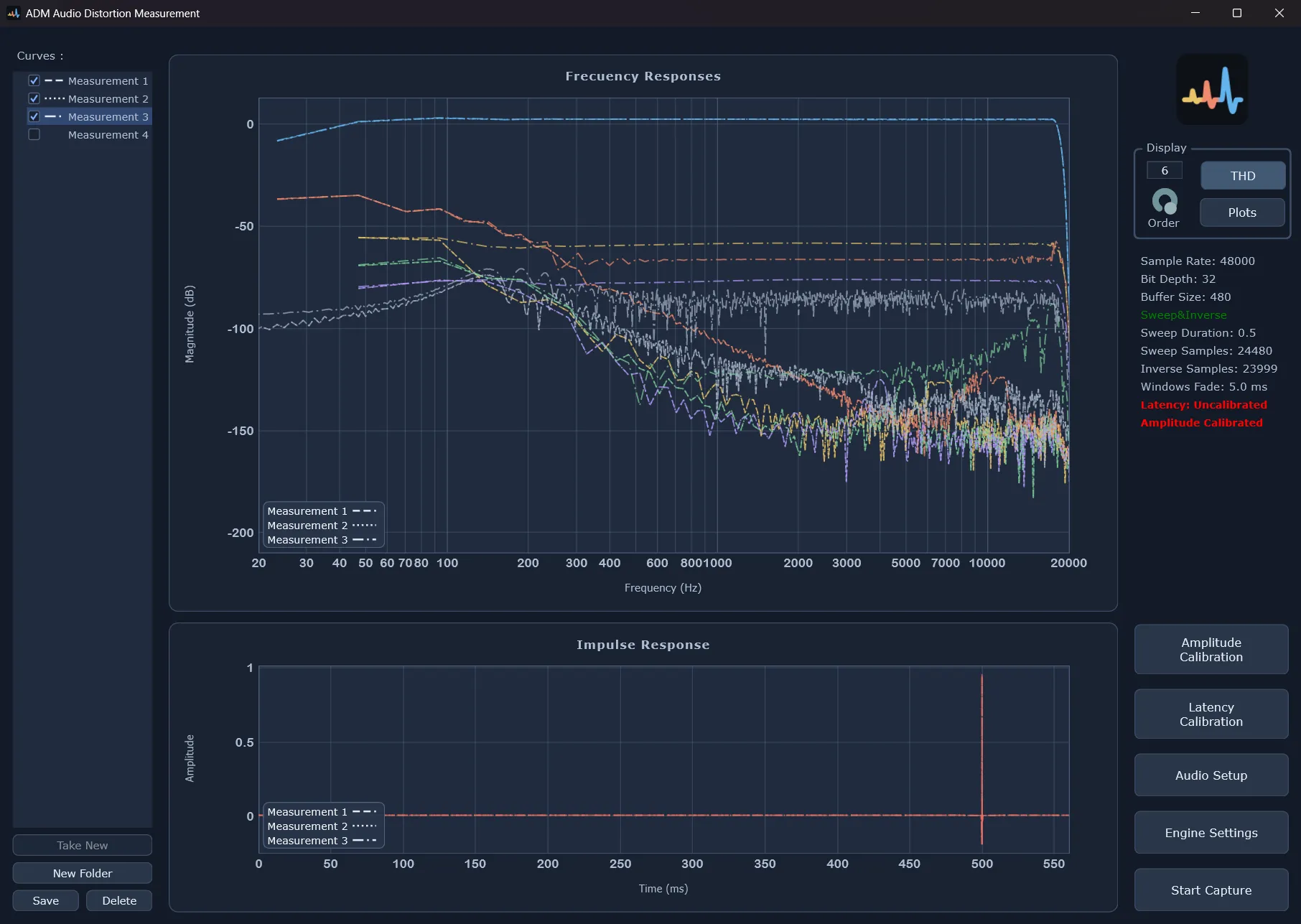
A THD figure gives you one number at one frequency. ADM shows the whole picture. It drives a loudspeaker, amplifier, processor or any audio chain with a continuously repeating exponential sweep. From every pass it extracts the impulse response of each harmonic distortion order. From those it computes the frequency response of each order across the entire audio band: how much 2nd, 3rd, 4th… harmonic the device generates at every frequency, plotted against the linear response. With sweeps as short as half a second the curves refresh fluidly: turn a gain knob, swap a component or move a control on the device, and watch its harmonic fingerprint change.
The frequency response of every distortion order
Two devices with the same THD can have completely different harmonic profiles. ADM plots each order's frequency response instead of one aggregate number.
Every parameter exposed, built for experimenting and learning
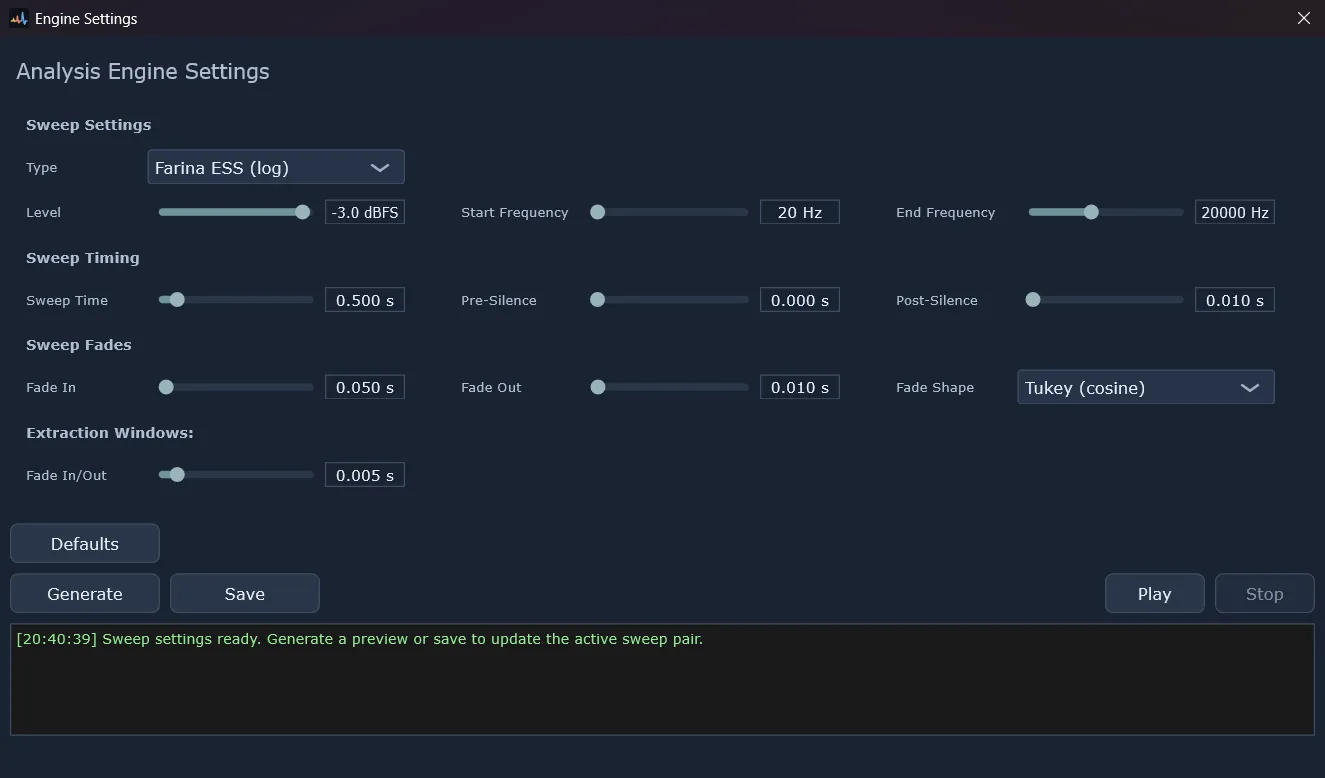
Choose the measurement method (Farina ESS or Novák SSS), and adjust the frequency range, sweep duration, fades and silence tails. Change any of them between captures and compare the results straight away: you can tailor the measurement to the device and also see first-hand how each parameter shapes the result.
How it works
Sweep
ADM plays an exponential sine sweep through the device and records its output at the same time.
Deconvolve
The recording is deconvolved with the sweep's inverse filter. Each harmonic order lands at its own predictable moment before the linear response.
Separate
Time windows cut the linear response and each harmonic order apart.
Plot
The frequency response of each order is drawn on a single graph, with an optional THD overlay, and refreshes with every pass.
Who it's for
Device characterization
See the full harmonic fingerprint of an amplifier, processor or audio chain.
Equipment comparison
Two devices can share a THD spec and still distort in completely different ways. Compare their harmonic profiles directly.
Fault diagnosis
Which harmonic orders are present can point to the cause, for example symmetric versus asymmetric clipping.
Education and research
Change one parameter, measure again and compare: a hands-on way to learn how swept-sine measurement behaves.
Screenshots
Requirements
Windows 10 / 11 (x64). macOS and Linux versions are coming soon.
Distributed also under pay what you want model.
Every download is free. If these tools are worth something to you, pay whatever you think is fair.
Payment links coming soon.